Reclaiming Disk Space from Node, React Native & Expo Junk
A zero-dependency Python CLI that safely finds and removes Node, React Native, and Expo junk — node_modules, Xcode DerivedData, Metro, Gradle, and more.
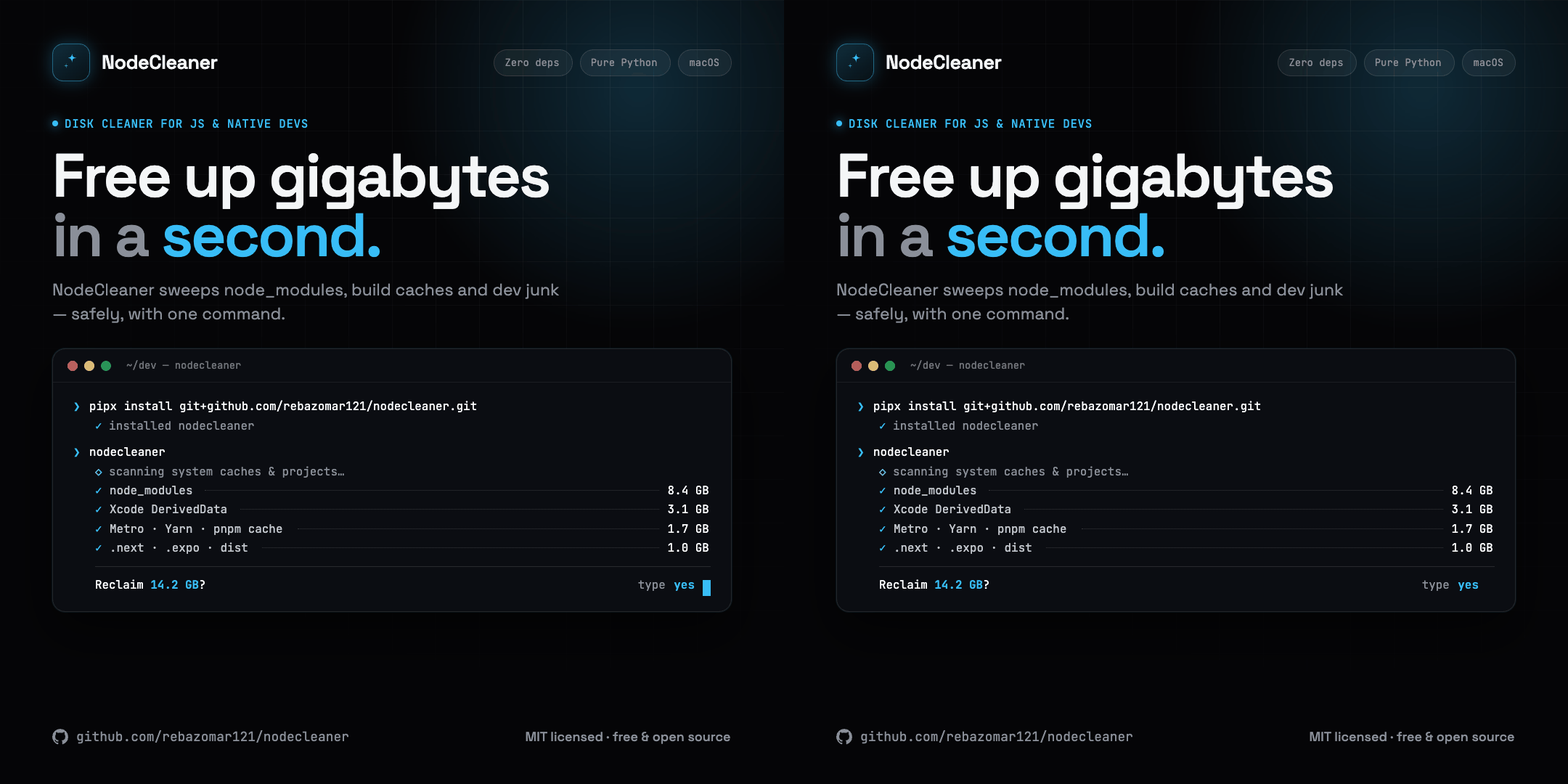
NodeCleaner: Reclaiming Disk Space from Node, React Native & Expo Junk
If you've spent any real time building with Node, React Native, or Expo, you already know the feeling: you check your disk one morning and it's mysteriously full. No huge video files, no giant downloads — just death by a thousand node_modules folders, stale Xcode DerivedData, Gradle caches, Metro caches, CocoaPods, and a dozen other invisible piles of bytes that quietly accumulate while you work.
I hit that wall one too many times. So I built NodeCleaner — a small Python CLI that finds and removes all that junk, safely, without me having to remember the path to every cache directory my toolchain decided to create.
This is the tool, why it exists, and how to use it.
The problem: caches everywhere, by design
Modern JavaScript and mobile tooling is fast because it caches aggressively. That's a feature, not a bug. The trouble is that almost none of it cleans up after itself, and the leftovers are scattered across your machine:
Every project keeps its own
node_modules, often 300MB–1GB+ each. Have twenty side projects? Do the math.React Native and Expo add
ios/Pods,ios/build,android/build,.expo, and Metro bundler caches on top.Xcode hoards
DerivedDataand archives that grow without bound.npm, Yarn, pnpm, Bun, Gradle, CocoaPods, Watchman, TypeScript, and ccache each maintain their own global cache somewhere under your home directory.
Individually, none of these are worth thinking about. Collectively, they can eat tens of gigabytes. And clearing them by hand means memorizing a long list of paths and running rm -rf against your own machine — which is exactly the kind of thing that goes wrong at 1am.
The solution: one command, full visibility, safe deletes
NodeCleaner scans both your system-wide caches and a projects directory of your choosing, shows you exactly what it found and how much space each item is using, and lets you pick what to remove with an interactive selector. Nothing gets deleted until you say so.
A few design decisions I cared about:
Zero dependencies. It's pure Python standard library. No
pip installof a dependency tree just to delete files. The tool that cleans up your machine shouldn't clutter it further.Safe by default. There's a
--dry-runmode that scans and lets you select, but deletes nothing. And the real run still requires you to typeyesbefore anything is removed.You stay in control. Arrow keys to navigate, space to toggle,
ato select or deselect everything. You see the full summary before committing.
Installation
The recommended way is pipx, which installs the nodecleaner command into an isolated environment and puts it on your PATH:
# Install pipx once (if you don't have it)
brew install pipx && pipx ensurepath

# Install NodeCleaner straight from GitHub
pipx install git+https://github.com/rebazomar121/nodecleaner.git
Then run it from anywhere:
nodecleaner
To upgrade or remove later:
pipx upgrade nodecleaner
pipx uninstall nodecleaner
Prefer plain pip?
pip install git+https://github.com/rebazomar121/nodecleaner.gitworks too — but pipx keeps it isolated from your other projects, which is why I recommend it.
Run without installing
If you'd rather just try it:
git clone https://github.com/rebazomar121/nodecleaner.git
cd nodecleaner
python3 -m nodecleaner          # from the repo root
Usage
nodecleaner                # interactive menu
nodecleaner --dry-run      # scan & select, but delete nothing (safe preview)
nodecleaner --yes          # skip the final "type yes" confirmation
nodecleaner --version
nodecleaner --help
If you've never run it before, start with --dry-run. You get the full experience — scanning, the selector, the summary — without touching a single file. It's the best way to see just how much is hiding on your disk.
Menu options
OptionDescription[1] Full CleanScan both system caches and a projects directory[2] System CachesScan only system-wide caches (Xcode, npm, Gradle, etc.)[3] Project FilesScan a directory for node_modules, build outputs, etc.[4] AboutShow information about the tool[5] ExitQuit
Interactive selector controls
KeyAction↑ / ↓Navigate itemsSpaceToggle selectionaSelect / deselect allEnterConfirm selectionqCancel and return to menu
What it actually cleans
System caches
Xcode
DerivedData, archives, and cachesiOS Simulator caches and temp files
npm, Yarn (v1 & v2+), pnpm, and Bun caches
React Native packager and Metro bundler caches
Gradle caches
CocoaPods cache
Expo CLI cache
Watchman, TypeScript, Swift PM, and ccache
Project-level
node_modules— Node.js dependenciesios/Pods— CocoaPods dependenciesios/build,android/build,android/app/build— native build outputs.expo,.next,.nuxt,.turbo— framework cachesdist— build output
Everything here is safe to delete in the sense that it can be regenerated — node_modules comes back with an install, build outputs come back with a build, caches rebuild on next use. NodeCleaner never touches your source code.
Requirements
macOS (Linux works for the non-Apple paths)
Python 3.8+
No external packages
Try it, and let me know what's missing
NodeCleaner is open source and lives on GitHub:
👉 github.com/rebazomar121/nodecleaner
If there's a cache directory your stack uses that I haven't covered yet, open an issue or a PR — that's exactly the kind of contribution I'd love to see. And if it frees up a chunk of your disk, that's the whole point.
Happy cleaning. 🧹